


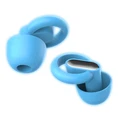


Hey there! As a supplier of New OTC Hearing Aids, I've seen my fair share of common problems that users run into. In this blog, I'll share some tips on how to troubleshoot these issues, so you can get the most out of your hearing aids.
1. Poor Sound Quality
One of the most common complaints I hear is about poor sound quality. There could be a few reasons for this.
Blocked Ear Tips or Tubing
First off, check the ear tips or tubing. Sometimes, earwax can build up and block the sound path. You can use a small brush (usually included in the hearing aid cleaning kit) to gently clean the ear tips. If the tubing is blocked, you might need to replace it. This is a simple fix that can often improve the sound quality right away.
Incorrect Volume Settings
Another reason could be incorrect volume settings. Make sure you've adjusted the volume according to your needs. Some New OTC Hearing Aids come with a simple volume control button. If you're not sure what the right volume is, start with a low setting and gradually increase it until you can hear clearly without any distortion.
Battery Issues
Weak or dead batteries can also affect sound quality. Check the battery level regularly. If the battery is low, replace it with a new one. Make sure you're using the correct type of battery recommended for your hearing aids. Most OTC hearing aids use small, disposable batteries, but some newer models come with rechargeable batteries.
2. Feedback or Whistling Sounds
Feedback or whistling sounds are another common problem. This usually happens when the hearing aid isn't fit properly in your ear.
Check the Fit
First, make sure the hearing aid is inserted correctly in your ear. The ear tip should fit snugly but not too tightly. If the fit is too loose, sound can leak out and cause feedback. Try different sizes of ear tips to find the one that fits you best.
Adjust the Position
Sometimes, just adjusting the position of the hearing aid in your ear can solve the feedback problem. Gently move the hearing aid around until the whistling stops.
Check for Obstructions
Also, check for any obstructions around the microphone of the hearing aid. Hair, clothing, or other objects can block the microphone and cause feedback. Make sure the area around the microphone is clear.
3. Connectivity Problems
Many New OTC Hearing Aids now come with Bluetooth connectivity, allowing you to connect them to your smartphone or other devices. But sometimes, you might run into connectivity problems.
Check the Device Settings
First, make sure your smartphone or other device's Bluetooth is turned on and set to discoverable mode. Then, try to pair the hearing aid with your device again. If the pairing fails, try restarting both the hearing aid and your device.
Update the Firmware
Sometimes, connectivity problems can be solved by updating the firmware of your hearing aid. Check the manufacturer's website for any available firmware updates. Follow the instructions carefully to update the firmware.
Check the Distance
Make sure you're within the recommended distance for Bluetooth connectivity. Usually, the range is about 10 meters. If you're too far away from your device, the connection might be lost.
4. Comfort Issues
Wearing hearing aids for long periods can sometimes be uncomfortable.
Choose the Right Ear Tips
As mentioned earlier, choosing the right size and type of ear tips is crucial for comfort. Some people prefer foam ear tips, while others like silicone ones. Experiment with different types to find the most comfortable option for you.
Adjust the Fit
If the hearing aid feels too tight or too loose, you can adjust the fit. Some hearing aids come with adjustable bands or clips that allow you to customize the fit. Make sure the hearing aid sits securely in your ear without causing any pain or discomfort.


Take Breaks
If you're wearing the hearing aids for a long time, take regular breaks. Remove the hearing aids for a few minutes every few hours to give your ears a rest.
5. Other Common Problems
There are a few other common problems that you might encounter.
Moisture Damage
Moisture can damage the hearing aids. Avoid wearing the hearing aids in the shower, swimming pool, or other wet environments. If the hearing aids get wet, dry them thoroughly with a soft, dry cloth. You can also use a hearing aid drying kit to remove any moisture.
Button or Control Issues
If the buttons or controls on your hearing aid aren't working properly, check for any dirt or debris. You can clean the buttons with a small brush or a cotton swab dipped in rubbing alcohol. If the problem persists, contact the manufacturer for further assistance.
Software Glitches
Sometimes, the software of the hearing aid might have glitches. Try restarting the hearing aid to see if the problem goes away. If not, check the manufacturer's website for any software updates or troubleshooting guides.
Conclusion
Troubleshooting common problems with New OTC Hearing Aids isn't as difficult as it might seem. By following these simple tips, you can often solve the issues on your own. However, if you're still having problems after trying these solutions, don't hesitate to contact us. We're here to help you get the most out of your hearing aids.
If you're interested in learning more about our Hearing Amplifier for Elderly People, Lively OTC Hearing Aids, or Self Fitting Hearing Aids, feel free to reach out to us. We're always happy to answer any questions you might have and discuss potential procurement opportunities.
References
- Manufacturer's user manuals for New OTC Hearing Aids
- Industry research on common hearing aid problems and solutions